
🎬 Personal website for Video Editors

Let your showreel play before anyone opens your CV

Clients and production houses decide on a video editor within the first seconds of a reel. A personal site puts your showreel at the top, groups your work by format, from ads and corporate films to YouTube long-form and weddings, and explains your part in each edit, so the right briefs come to you.

Claim your name: digitalcvmaker.com/

● Live in 5 minutes · free to start · no auto-renew

See it live

See a live demo of a video editor website

Real designs filled in for a sample person (not a real profile). Open one, scroll it like a visitor would, then make yours free.

Before and after

Same person, same details — as a PDF and as a website.

Before: the resume Sample video editor resume, page 1 of the PDF
Page 1 of the PDF
After: the website
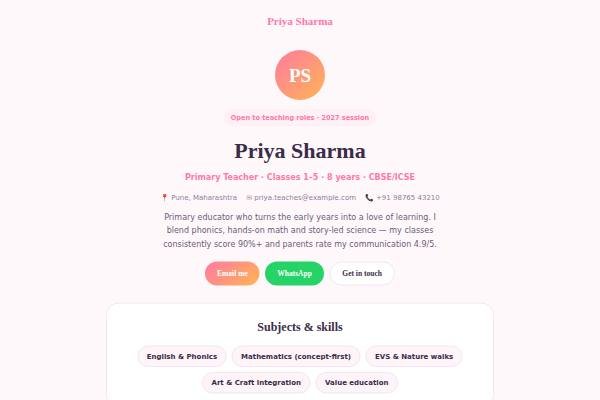
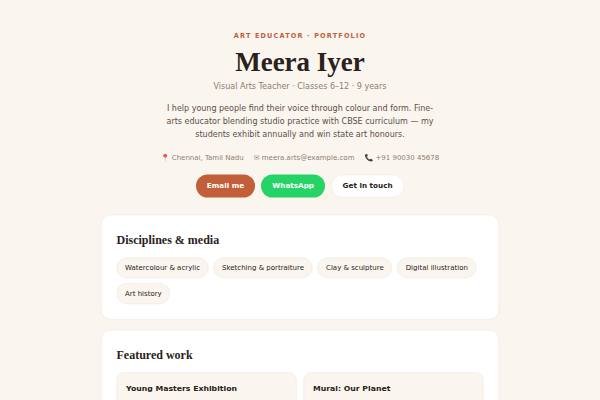
The live demo website · Open it →

Does a video editor need a personal website?

Yes — a video editor needs a personal website, because clients and studios hire on the edit itself: pacing, cuts, sound and colour. A site holds a tight showreel, a few full projects with your role explained and the software you work in, which a social media feed or résumé cannot organise as clearly.

Why Video Editors choose a personal site

Everything a video editor needs, in one link

Showreel first

An embedded reel from YouTube or Vimeo plays straight away, with no download or login.

Work grouped by format

Ads, music videos, documentaries, reels and long-form edits sorted so clients find relevant samples.

Your craft spelled out

Cutting, colour grading, sound, motion graphics or VFX credits made clear for each project.

Before you publish

What to put on your video editor website

Tick off each item as you add it — and why each one matters to the people who read your site.

Page outline

How to lay out a video editor website

  1. Editing focus Name your format, such as “long-form YouTube and documentary editing” or “ad films and brand reels”, so clients know what to send you.
  2. Showreel A short reel with your best cuts, kept under two minutes and updated as you get better work.
  3. Project breakdowns For each project describe the brief, raw footage, your role in edit, colour and sound, and the turnaround time.
  4. Software and workflow Premiere Pro, DaVinci Resolve, Final Cut Pro or After Effects, plus your proxy, backup and delivery process.
  5. Clients and credits List credits you are allowed to share, such as channels or productions, with your exact role.
  6. Rates and contact Say whether you take freelance projects or full-time roles, your turnaround approach, and email and WhatsApp.
Templates

Website templates for video editors

What video editors in India should know before going online

Video editors in India work for production houses, ad agencies, news channels, OTT post-production teams, YouTube creators and brands. Many start freelance and grow through referrals, so a clear site with a showreel helps a creator or producer decide quickly. Regional language content has grown, and editing Hindi, Tamil, Telugu or other language projects is a real strength to show. Agencies and studios often ask about software, turnaround and file delivery formats, so state them. Respect rights: only publish work you have permission to show, and keep unreleased projects private. If you work freelance, mention whether your quotes include GST once you are registered, and how many revision rounds you include. Sharing raw files from clients or using copyrighted music in your reel can cause problems, so use licensed or original tracks.

Common website mistakes video editors make

  • Making a long showreel with weak clips. Keep it short and cut ruthlessly; viewers judge in the first few seconds.
  • Not stating your role. Clarify whether you did the edit, colour, sound or motion graphics, especially on team projects.
  • Publishing unreleased client work. Wait for release or ask permission before adding it to your site.
  • Using copyrighted music in your reel. Use licensed or original tracks to avoid takedowns.
  • Hiding turnaround and workflow details. Clients want to know how fast you deliver and how you handle revisions.
How it works

From nothing to a live site in three steps

1

Pick a template

Start from a design built for professionals like you.

2

Make it yours

Add your details, work and photo — no code, no designer.

3

Go live and share

Publish to your own link and put it everywhere that matters.

Plans from Rs.499 a month · See plans

One place for your job

Everything for video editors

FAQ

Questions from Video Editors

Keep it short, often around a minute or two, with your strongest cuts in the opening seconds. Make separate reels for very different work, such as ads and weddings, so each client sees the style they are hiring for.

A content creator promotes their own channel and audience. An editor’s site sells a service: your edits for other people’s brands and channels, the software you use, typical turnaround and how clients can brief you.

Yes, if the work is public and your contract allows it. Credit the client or channel where appropriate and say what you did, for example the cut, colour or sound. For unreleased work, wait until it is published.

Many freelance editors share a starting rate per reel, per minute of finished video or per day. It filters out mismatched enquiries, and you can update it whenever your pricing changes.

Cut a short showreel and add a few complete pieces by format, each with your role, software and what the client needed. Keep your best and most relevant work first.

Through referrals, creator and agency networks, freelance platforms and a portfolio website with a showreel, rates or a starting range and a clear enquiry form.

Made for you

Personal websites for every profession

All professions →

Your name, your site, your callback

Join the Video Editors who let their own site do the talking.

● Live in 5 minutes · free to start · no auto-renew

Chat on WhatsApp