📉 Personal website for Data Analysts

Let your dashboards and insights do the interviewing

Data roles attract hundreds of applicants listing the same tools. A personal site lets you show actual analyses, dashboards and the business decisions they informed, which is exactly what hiring managers want to see.

Claim your name: digitalcvmaker.com/

● Live in 5 minutes · free to start · no auto-renew

See it live

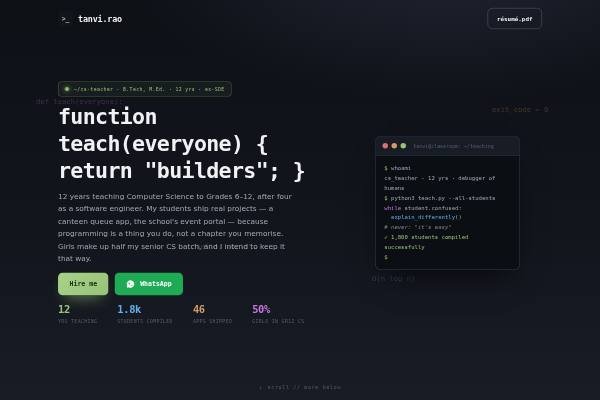
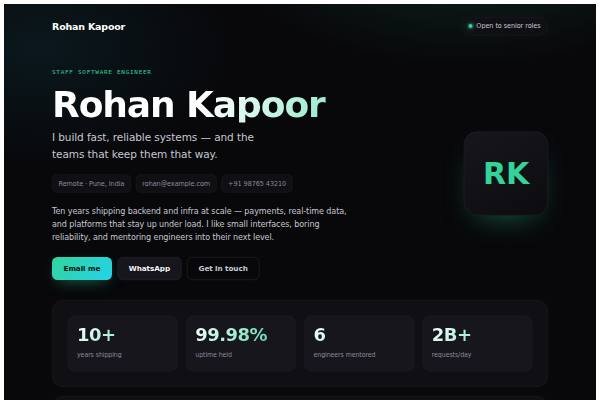
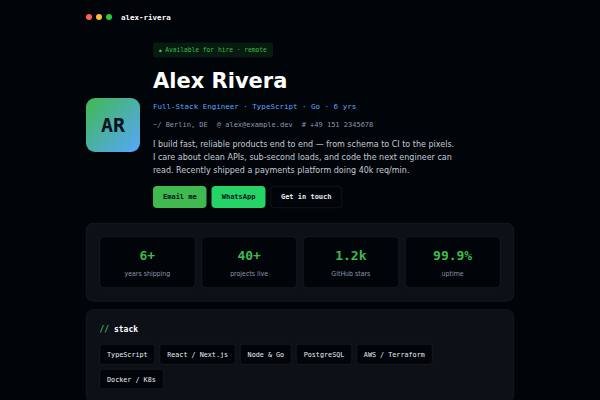
See a live demo of a data analyst website

Real designs filled in for a sample person (not a real profile). Open one, scroll it like a visitor would, then make yours free.

Before and after

Same person, same details — as a PDF and as a website.

Before: the resume Sample data analyst resume, page 1 of the PDF
Page 1 of the PDF
After: the website
The live demo website · Open it →

Does a data analyst need a personal website?

Yes — especially if you are a fresher or switching into analytics. A personal website lets you show how you frame a business question, clean messy data and explain a recommendation to a non-technical manager, which matters more to interviewers than another line saying you know SQL, Python and a BI tool.

Why Data Analysts choose a personal site

Everything a data analyst needs, in one link

Projects over tool lists

Walk through the question, data, method and recommendation for each analysis you’ve done.

Dashboards that open

Link to published Power BI, Tableau or notebook work so reviewers can explore it themselves.

A clear career story

Useful if you’re moving into analytics from engineering, commerce or operations.

Before you publish

What to put on your data analyst website

Tick off each item as you add it — and why each one matters to the people who read your site.

Page outline

How to lay out a data analyst website

  1. Short profile and domain Your current role, the domain you know such as retail, lending, logistics or healthcare, and the type of analyst role you want next.
  2. Three to four analyses Each as a mini report: the business question, data source, cleaning steps, method, key chart and the recommendation, readable in under three minutes.
  3. Live dashboards and notebooks Links to published dashboards and code notebooks, each with a line on what a stakeholder should look at first.
  4. Data cleaning and modelling notes Show how you handled missing values, duplicates, date formats and joins across tables, since this is most of the real work.
  5. Communication samples A one-page summary or slide you would give a manager, showing you can turn analysis into a decision in plain language.
  6. Skills, certificates and CV SQL depth, Python or R libraries, spreadsheet modelling, statistics and certificates, plus a downloadable CV and contact details.
Templates

Website templates for data analysts

What data analysts in India should know before going online

Data analysts are not regulated, but data protection matters. The Digital Personal Data Protection Act makes it risky to publish anything containing personal data, so never upload customer lists, transaction extracts or employer datasets, even if you think they are anonymised. Use public sources such as government open data portals, RBI and census tables or published statistical releases instead. Analytics hiring in India runs through Naukri, LinkedIn, campus placements and referrals, with many roles in Bengaluru, Hyderabad, Pune, Gurugram and Chennai at captives, consultancies and startups. Interviewers commonly give SQL tests and case questions, so a portfolio showing Indian business contexts, like UPI transaction trends, GST-linked sales data or regional retail patterns, gives them concrete material to discuss.

Common website mistakes data analysts make

  • Only famous practice datasets like Titanic survival. Pick problems close to the industry you are targeting and state the business question in the first line.
  • Dashboards without explanation. Add a short caption on what the dashboard answers, who would use it and the one insight that matters most.
  • Uploading work data or screenshots from your employer. Rebuild the technique on public data and describe the original impact in words only.
  • Long notebooks with no summary. Put the recommendation and key chart at the top, with code and details below for reviewers who want depth.
  • Tool lists without evidence. For each skill, link to a project that uses it, so interviewers can see actual queries rather than a claimed proficiency level.
How it works

From nothing to a live site in three steps

1

Pick a template

Start from a design built for professionals like you.

2

Make it yours

Add your details, work and photo — no code, no designer.

3

Go live and share

Publish to your own link and put it everywhere that matters.

Plans from Rs.499 a month · See plans

One place for your job

Everything for data analysts

FAQ

Questions from Data Analysts

Three or four projects that each answer a real business question, such as churn, sales trends or funnel drop-off. Explain the dataset, tools, approach and the recommendation you reached.

Yes. Public datasets from government portals, Kaggle or open data sources are fine. Choose ones relevant to the industry you’re targeting, such as retail, fintech or healthcare.

Describe the problem and impact without sharing internal data or screenshots. Rebuild a similar analysis on public data if you want to show the technique in detail.

Yes. Freshers often lack experience but can show well-documented projects. A portfolio link on your CV gives interviewers concrete work to discuss rather than just course certificates.

Build three or four projects on public datasets that answer real business questions, learn SQL, Excel and one BI tool well, and present the work on a portfolio site with clear write-ups.

SQL and Excel are the base. Add one BI tool such as Power BI or Tableau, and some Python or R for analysis. Show each with a project rather than a list.

Made for you

Personal websites for every profession

All professions →

Your name, your site, your callback

Join the Data Analysts who let their own site do the talking.

● Live in 5 minutes · free to start · no auto-renew

Chat on WhatsApp