🏗️ Personal website for Civil Engineers

Show the structures and sites behind your engineering CV

Contractors, consultants and infrastructure firms want to know what you’ve built and at what scale. A personal site shows project types, your role on site and the software you use, with photos that prove real field experience.

Claim your name: digitalcvmaker.com/

● Live in 5 minutes · free to start · no auto-renew

See it live

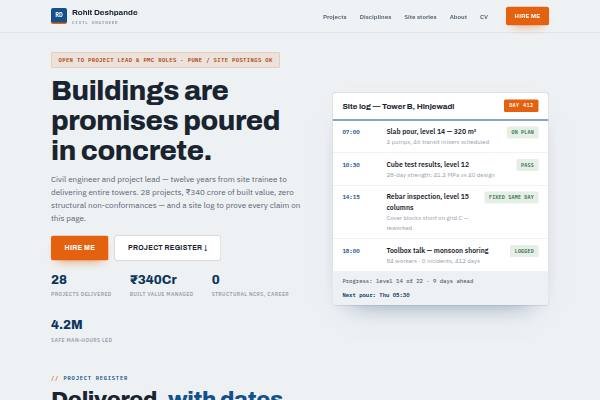
See a live demo of a civil engineer website

Real designs filled in for a sample person (not a real profile). Open one, scroll it like a visitor would, then make yours free.

Before and after

Same person, same details — as a PDF and as a website.

Before: the resume Sample civil engineer resume, page 1 of the PDF
Page 1 of the PDF
After: the website
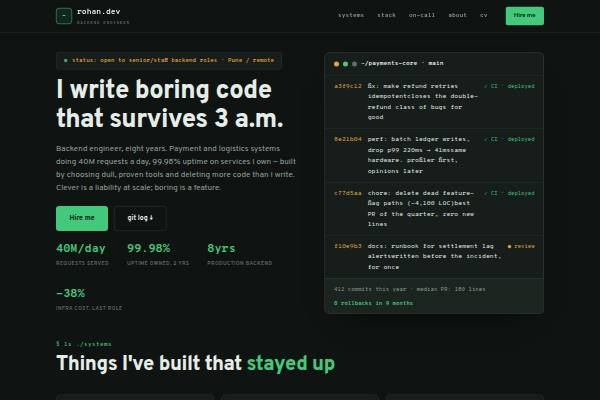
The live demo website · Open it →

Does a civil engineer need a personal website?

Yes — a civil engineer benefits from a personal website when changing employers, moving abroad or taking independent consultancy work. It shows the structures you have worked on, your exact site or design role, and the codes and software you know, which a two-page CV compresses into generic lines.

Why Civil Engineers choose a personal site

Everything a civil engineer needs, in one link

Projects with scale

Buildings, roads, bridges or water projects described with size, value range and your responsibilities.

Site photos that prove it

Progress photos from sites you managed show hands-on experience where permitted.

Software skills listed

AutoCAD, STAAD.Pro, Revit or Primavera shown clearly for technical screening.

Before you publish

What to put on your civil engineer website

Tick off each item as you add it — and why each one matters to the people who read your site.

Page outline

How to lay out a civil engineer website

  1. Project sheets One entry per project: type (G+12 residential, flyover, STP, industrial shed), location state, contract value band, duration and whether you were with the client, consultant or contractor.
  2. What you did on site Be specific: bar bending schedules, pour sequences, shuttering checks, quantity reconciliation, subcontractor billing or survey, so recruiters see your actual responsibilities.
  3. Design and code knowledge Relevant IS codes you work with — for concrete, steel, loading and earthquake design — plus design software, and whether you check or produce drawings.
  4. Quality, safety and testing Cube tests, material testing, safety inspections, method statements and any QA/QC or safety certification, with the kind of audits you have faced.
  5. Planning and billing Scheduling tools, rate analysis, measurement books, running account bills and variation claims, which contractors weigh heavily for senior site roles.
  6. Licences and contact Any municipal licence, chartered engineer status or contractor registration, a downloadable CV and a contact form for roles or consulting work.
Templates

Website templates for civil engineers

What civil engineers in India should know before going online

India has no single national licence for civil engineers, but several municipal corporations and development authorities register or licence structural engineers, site supervisors and engineers who sign building permission drawings. If you hold such a registration, show the number and the authority. Chartered engineer status from a professional engineering body and contractor registration with state PWDs or other departments are also valued. Contractors and consultants hire through referrals, Naukri and LinkedIn, and Gulf recruiters look for project types, scale and code familiarity; many Gulf roles also need degree attestation and registration with the destination country’s engineering body. Keep public infrastructure, defence or restricted site details off your site. Site teams often work in Hindi or a regional language, which is worth mentioning for supervisory roles.

Common website mistakes civil engineers make

  • Listing projects as “worked on a residential project” with no scale; add floors or length, value band, your employer type and your exact role.
  • Posting structural drawings or BOQs belonging to the client; use general progress photos where allowed and describe the work in words.
  • Leaving out IS codes and planning skills, which are what senior roles screen for; list the codes and tools you actually use on site.
  • Showing only software skills and no field experience, or the reverse; balance design ability with what you have supervised on real sites.
  • Claiming a licence or registration without the number or authority; show the details so a client or authority can verify them easily.
How it works

From nothing to a live site in three steps

1

Pick a template

Start from a design built for professionals like you.

2

Make it yours

Add your details, work and photo — no code, no designer.

3

Go live and share

Publish to your own link and put it everywhere that matters.

Plans from Rs.499 a month · See plans

One place for your job

Everything for civil engineers

FAQ

Questions from Civil Engineers

Only if your employer or client allows it. Many firms are fine with general progress photos, but avoid drawings, confidential documents or anything restricted for security reasons, such as defence or public infrastructure sites.

Final-year projects, internships, site visits, software skills and any certifications. Explain what you did on each and what you learnt. Photos from internship sites, where permitted, add weight.

It can be. Overseas recruiters often look for project types, scale and software skills. A clear portfolio plus your CV helps them assess you before the formal process.

Yes. Safety certifications, QA/QC experience and knowledge of relevant codes and standards are valued by contractors and consultants, especially for supervisory roles. List each certificate with the issuing body and year.

Describe each project with type, scale, your role and tools, include drawings or site photos only where allowed, and add certifications and a CV. Freshers can use internship and final-year project work.

Projects, daily responsibilities, quantities and billing work, quality and safety duties, software and codes. Keep it practical and specific to the sites you worked on.

Made for you

Personal websites for every profession

All professions →

Your name, your site, your callback

Join the Civil Engineers who let their own site do the talking.

● Live in 5 minutes · free to start · no auto-renew

Chat on WhatsApp