🏛️ Personal website for Professors

An academic homepage for your research and teaching

Selection committees, collaborators and prospective PhD students all look you up online. A personal academic website brings together your research areas, publications, teaching and supervision in one place that you control.

Claim your name: digitalcvmaker.com/

● Live in 5 minutes · free to start · no auto-renew

See it live

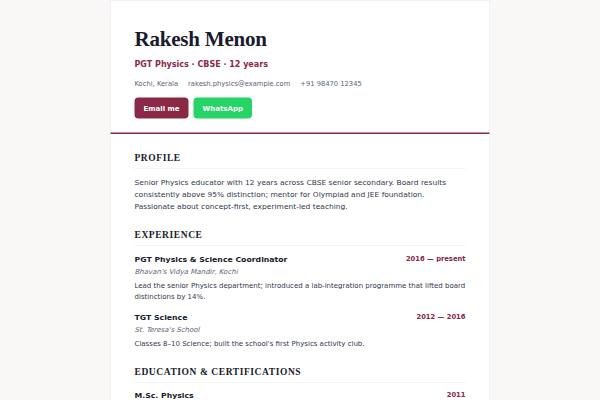
See a live demo of a professor website

Real designs filled in for a sample person (not a real profile). Open one, scroll it like a visitor would, then make yours free.

Before and after

Same person, same details — as a PDF and as a website.

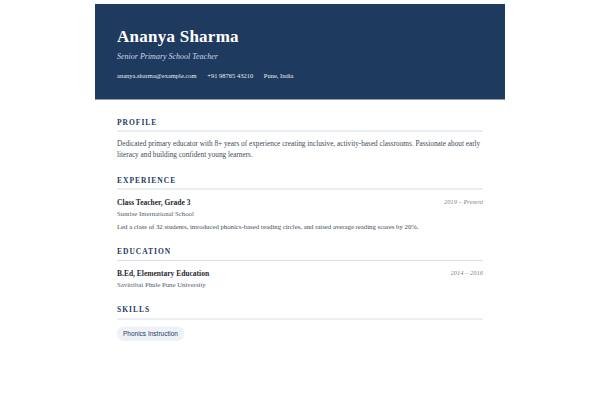
Before: the resume Sample professor resume, page 1 of the PDF
Page 1 of the PDF
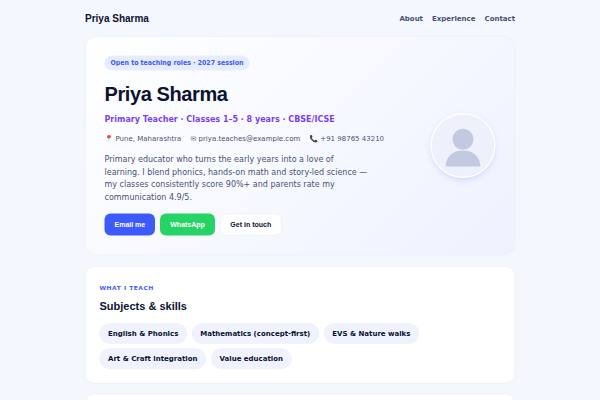
After: the website
The live demo website · Open it →

Does a professor need a personal website?

Yes — a professor benefits from a personal academic website because selection committees, collaborators and prospective research scholars look you up, and institutional pages are often thin or outdated. Your own site keeps publications, projects, supervision and teaching in one place that moves with you across institutions and promotions.

Why Professors choose a personal site

Everything a professor needs, in one link

Publications in one place

List journal papers, conference proceedings and books with links, beyond a university profile page.

Attract the right students

Describe your research group and openings so motivated scholars reach out.

Ready for promotions and moves

Keep a current academic CV for recruitment drives, promotions and grant applications.

Before you publish

What to put on your professor website

Tick off each item as you add it — and why each one matters to the people who read your site.

Page outline

How to lay out a professor website

  1. Research statement A plain-language paragraph on the questions you work on and why they matter, followed by a technical version for peers in your field.
  2. Current projects and funding Funded projects with the funding body type, your role as PI or co-PI, duration and outputs, which reviewers and collaborators look for first.
  3. Selected publications Your five to ten strongest papers with a one-line note on each contribution, then a link to the full list or citation profile.
  4. Research group and openings Current and past scholars, what they work on, and how to approach you for PhD, JRF or project positions, including what to send in a first email.
  5. Teaching and course material Courses you teach at each level, syllabus outlines, reading lists and any open lecture notes or videos you are permitted to share.
  6. Service and outreach Editorial work, reviewing, committees, invited talks, consultancy, patents and public lectures, which count in promotions and show your standing in the field.
Templates

Website templates for professors

What professors in India should know before going online

Faculty recruitment and promotion in Indian universities and colleges follow UGC regulations or AICTE norms, with the Career Advancement Scheme assessing teaching, research output, supervision and funded projects; institutes of national importance run their own processes. A personal site does not replace these forms, but it helps committees and external experts see your work quickly. Accreditation and ranking exercises ask institutions for faculty publication and project data, so keeping your own record accurate saves effort each cycle. Prospective PhD scholars, often preparing for NET or GATE, search for supervisors by topic on Google and LinkedIn before writing. Many Indian academics are also asked to serve as external examiners or subject experts, so a clear list of your areas helps. Keep details consistent with your official CV and institutional records.

Common website mistakes professors make

  • Pasting a 40-page publication list with no selection; lead with your strongest papers and link to a citation profile for everything else.
  • Leaving the “PhD openings” section unchanged for years; state current openings honestly, or write “no openings at present” to save students and yourself time.
  • Uploading publisher PDFs without checking self-archiving rules; link to the publisher page or an accepted manuscript where the policy allows.
  • Writing only in dense jargon, which loses funders, journalists and students; add a short plain-language summary of your research area.
  • Listing projects without your actual role, so reviewers cannot judge contribution; say whether you were PI, co-PI or team member and what you delivered.
Real sites

Websites built by Professors

Real sites published by members — open one for ideas.

How it works

From nothing to a live site in three steps

1

Pick a template

Start from a design built for professionals like you.

2

Make it yours

Add your details, work and photo — no code, no designer.

3

Go live and share

Publish to your own link and put it everywhere that matters.

Plans from Rs.499 a month · See plans

One place for your job

Everything for professors

FAQ

Questions from Professors

University pages are often outdated and limited in format. Your own site stays with you across institutions and can hold full publication lists, projects, talks and student openings.

Yes. Linking to Google Scholar, ORCID, Scopus or ResearchGate profiles helps committees verify your publications and citations quickly. Keep your site’s selected publications consistent with them.

Share accepted manuscripts or links to published versions, but check each publisher’s policy on self-archiving before uploading final PDFs on a public website. When in doubt, link to the publisher’s page or a repository copy.

It gives selection committees easy access to your research, teaching experience and academic CV, alongside the formal application forms and documents institutions require. Share the link in your cover letter and during interviews.

Include research interests, publications, teaching, students, grants, talks and a CV, with links to Google Scholar and ORCID. Update it each term so visitors trust it is current.

Research focus, key publications, teaching, any funding and openings for students or collaborators. It supports recruitment, promotion files and collaboration requests.

Made for you

Personal websites for every profession

All professions →

Your name, your site, your callback

Join the Professors who let their own site do the talking.

● Live in 5 minutes · free to start · no auto-renew

Chat on WhatsApp