🎓 Personal website for Students

Stand out for internships and your first role

Everyone submits the same one-page résumé. A personal site gives recruiters more to say yes to — your projects, skills and a link that looks like you already belong in the industry.

Claim your name: digitalcvmaker.com/

● Live in 5 minutes · free to start · no auto-renew · हिंदी में पढ़ें

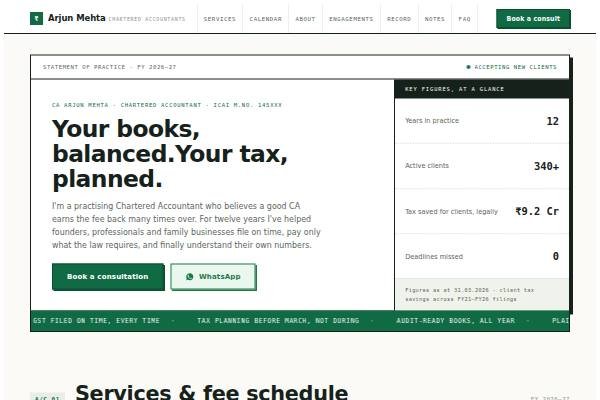
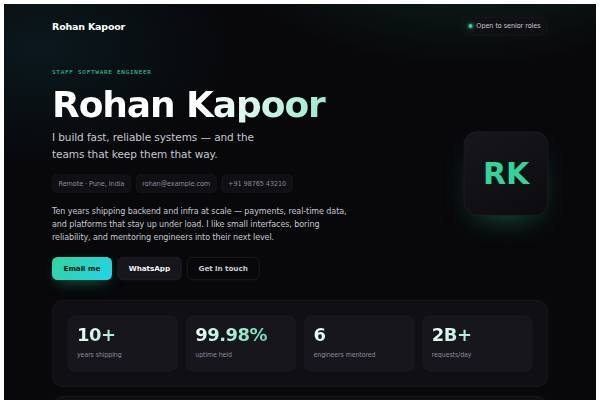
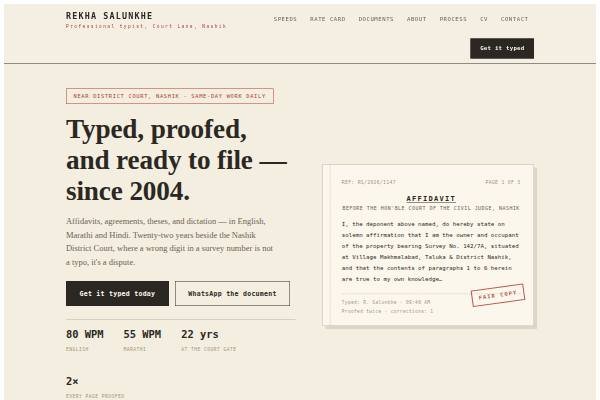
See it live

See a live demo of a student website

Real designs filled in for a sample person (not a real profile). Open one, scroll it like a visitor would, then make yours free.

Before and after

Same person, same details — as a PDF and as a website.

Before: the resume Sample student resume, page 1 of the PDF
Page 1 of the PDF
After: the website
The live demo website · Open it →

Does a student need a personal website?

Yes — a student benefits from a personal website, particularly before internship and placement season. It gives recruiters and professors context a one-page résumé cannot: what you actually built in projects, what you learnt from internships and how you explain your work, which helps when grades and college name are similar across applicants.

Why Students choose a personal site

Everything a student needs, in one link

Beat the résumé pile

Give recruiters projects and context, not just a list of coursework.

Look ahead of your peers

A real website signals initiative most students never show.

Free to start

Launch now on the free plan — no budget needed to look serious.

Before you publish

What to put on your student website

Tick off each item as you add it — and why each one matters to the people who read your site.

Page outline

How to lay out a student website

  1. Headline and target Your course, college year and what you are looking for, such as “third-year ECE, seeking embedded systems internship, May to July”, so readers know how to help.
  2. Projects with your role For each project, state the problem, your specific part in the team, tools used, what went wrong and what you learnt. Link reports, code or demos.
  3. Internships and work experience Organisation type, duration, what you were given and what you delivered. Even a short or unpaid internship counts if you explain real tasks.
  4. Skills and coursework Relevant subjects, certifications and skills, each backed by where you used it. Avoid listing skills that no project or course demonstrates.
  5. Activities and responsibilities Club positions, fest organisation, sports, NSS or volunteering, with what you managed, such as budgets, teams or events.
  6. Résumé and contact A downloadable one-page CV, a professional email, LinkedIn and your expected availability or graduation date.
Templates

Website templates for students

What students in India should know before going online

In India, campus placements run through the college placement cell, which often shortlists on CGPA, branch and backlogs before recruiters see anything else. A website helps after that cut, in interviews, and for off-campus applications on Naukri, LinkedIn and company career pages. Many companies also hire interns through referrals from seniors and alumni, who are more likely to recommend you if they can send a link showing real work. Include mandatory internships or projects required by your course, as recruiters recognise them. If you study in a smaller city or a less-known college, a clear portfolio can help close the gap. Avoid publishing your Aadhaar number, date of birth, home address or marksheets online; share documents only when an employer asks.

Common website mistakes students make

  • Copying project descriptions from the lab manual or group report. Rewrite each one in your own words, focusing on the part you personally did and understood.
  • Listing skills like “Machine Learning” after a single online course. Show the skill applied in a project, or move it to a “currently learning” line.
  • Using an informal email address or nickname as the site name. Switch to firstname.lastname style addresses that look fine on a recruiter’s screen.
  • Publishing personal documents such as marksheets, Aadhaar or home address. Keep them offline and share them only with verified employers when asked during onboarding.
  • Letting the site go stale after placement season. Add each new internship, project and certification within a week, while details are fresh.
How it works

From nothing to a live site in three steps

1

Pick a template

Start from a design built for professionals like you.

2

Make it yours

Add your details, work and photo — no code, no designer.

3

Go live and share

Publish to your own link and put it everywhere that matters.

Plans from Rs.499 a month · See plans

One place for your job

Everything for students

FAQ

Questions from Students

College projects, hackathons, internships, certifications, club roles and volunteering all count. Explain what you did and learnt in each, and link to anything people can see, such as a report or demo.

Yes. Add the link to your résumé header and placement-cell profile. Interviewers who click through see more context than a single page allows, which gives them better questions to ask you.

For most students, yes. The free plan lets you publish a complete site and share it. You can move to a paid plan later if you want a custom domain or other paid features.

Yes. Alongside your website, you can keep a CV that recruiters can view online or download, so you don’t have to maintain separate documents for every application.

It helps, especially for internships and placements. A simple site with your projects, skills and a downloadable CV gives recruiters more to see than a one-page resume, and you can keep adding to it each semester.

Course projects, internships, hackathons, certifications, volunteering, club roles and anything you built or wrote on your own. Explain what you did and what you learned in each.

Made for you

Personal websites for every profession

All professions →

Your name, your site, your callback

Join the Students who let their own site do the talking.

● Live in 5 minutes · free to start · no auto-renew

Chat on WhatsApp