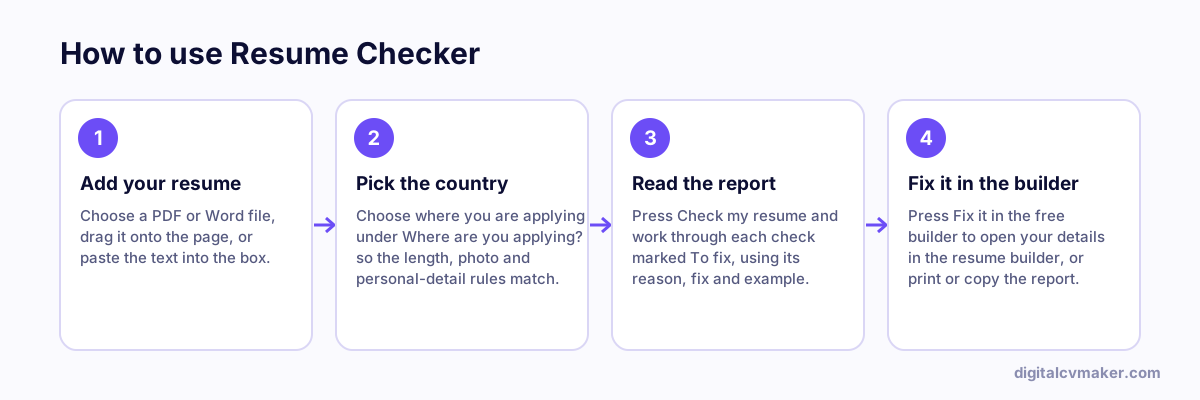
What the resume checker looks at
Each check is a plain rule you can read and disagree with. The report lists the checks that need work first, each with one sentence on why it matters, how to fix it and an example, then the checks that passed.
- Contact details — email, phone, city or location and a LinkedIn link near the top.
- Length for the country — page count from your PDF or Word file (or an estimate from the word count) against the usual range in that country.
- Sections — headings for summary, skills, experience and education.
- Bullets — bullets that run too long, open with “Responsible for”, “Worked on” or “Helped”, or carry no number at all.
- Wording — repeated words, “I” and “my”, common misspellings, self-praise without proof and British or American spelling for the country.
- Dates — one date style throughout, such as “Jan YYYY – Mar YYYY”.
- Layout and file — columns, tables, text boxes, contact details in the page header, a photo, and whether the file name includes your name.
- Personal details — date of birth, marital status, religion, nationality, ID numbers and visa status, judged against what recruiters in the chosen country expect.
After the check
- Press “Fix it in the free builder” to open your details in the resume builder, fix the flagged lines and download a clean PDF or Word file.
- Compare it with the job you want in the resume job match tool, and add missing skills only where they are true for you.
- Applying abroad? Read the resume format by country guide for photo, length and personal-detail habits, then run the check again with that country selected.