🗓️ Free tool · no signup

Free Leave Application Generator

Choose office or school, pick a leave type and dates, and get a free leave application letter plus a short email version, ready to copy. A leave application should state the type of leave, the exact dates, the total number of days and a short reason, addressed to the right person.

Written in your browser — your name, dates and reason are never sent to our servers or saved.

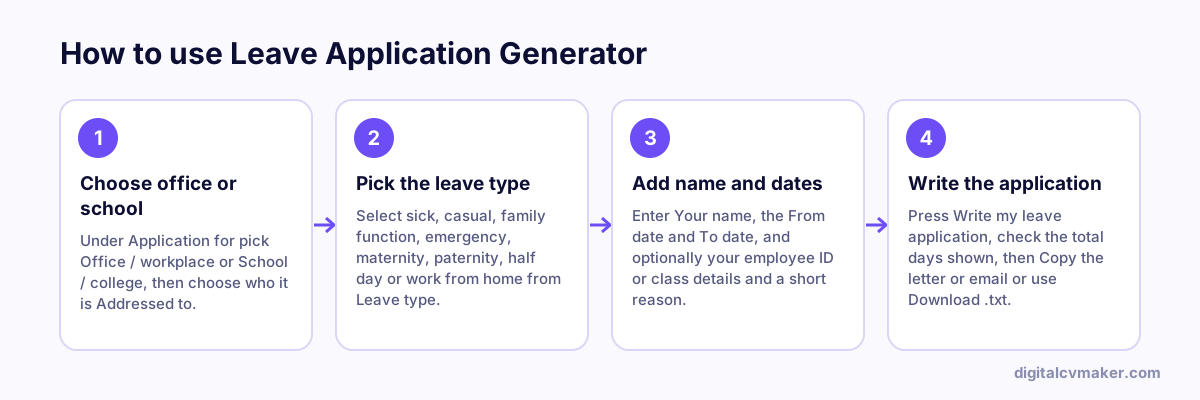
How to use Leave Application Generator: 1. Choose office or school, 2. Pick the leave type, 3. Add name and dates, 4. Write the application.
How to use the Leave Application Generator, step by step.

How to write a leave application that gets approved

Whoever approves your leave wants to know three things quickly: which dates, why, and how your work or studies will be covered. A short, clear application answers all three and leaves nothing to follow up on.

  1. Apply as early as you can. For planned leave such as a wedding, a week or more in advance is courteous.
  2. Give exact dates and the number of days, and mention a half day clearly as first or second half.
  3. Keep the reason brief. You do not need to share medical details — “unwell” or “viral fever” is enough.
  4. At work, say who will cover urgent tasks. At school or college, promise to catch up on missed lessons.
  5. For emergencies, inform your manager or teacher by phone or message first, then send the written application.

Office and school formats differ

Office applications usually go by email or an HR portal with your employee ID, and end with “Yours sincerely”. School applications are addressed to the Principal or class teacher, mention class and section, and traditionally end with “Thanking you” and “Yours obediently”. For a young child, a parent usually writes and signs the application instead.

Leaving a job rather than taking a break? Use the resignation letter generator and the notice period calculator, or browse all our free tools.

Worked example

Casual leave for a family function

What goes in

Application for: Office, leave type: Family function / marriage From 12th to 14th of the month, addressed to: Manager Reason: cousin’s wedding in another city

What you get

The tool counts both the start and end dates, so 12th to 14th is 3 days, and states the leave type, exact dates, total days and the short reason. It also gives a short email version for workplaces where leave is requested over email or a chat tool before being entered in the HR system. The applicant adds one line about who will cover urgent work while she is away, which makes approval easier. For school use, the same details would be addressed to the principal or class teacher instead.

Common mistakes

  • Counting only the days between the dates and forgetting that both the start and end day are leave days, which gives one day too few.
  • Applying on the morning the leave starts for something planned weeks earlier, when most policies ask for advance notice.
  • Leaving out who will handle urgent work while you are away, which is often the manager’s main concern before approving.

When to use it: Use the leave application generator for a short, dated request to a manager or school; to resign or give notice, use the resignation letter generator instead.

FAQ

Frequently asked questions

Start with “To”, the recipient’s designation and the organisation, then the date and a one-line subject. Follow with a greeting, one or two short paragraphs giving the dates and the reason, a line of thanks, and your name with your employee ID or class and section.

Most offices now accept a short email or an HR portal request, with the formal letter kept for long leave such as maternity leave. Schools and colleges often still ask for a written application. This tool gives you both formats so you can use whichever your organisation expects.

The tool counts calendar days from the start date to the end date, including both. Your company or school may skip weekends and holidays when it deducts leave, so the balance deducted can be lower than the number shown here.

It depends on the rules of your organisation. Many offices ask for a certificate when sick leave runs beyond two or three days, and schools may ask for one for longer absences. The sick-leave letter offers to share one if required, which covers you either way.

Moving on? Have your own website ready

Show your experience and contact details at your own link for the next role. Live in minutes.

Start free
Chat on WhatsApp