📜 Free tool · no signup

Free Experience Letter Generator

Fill in the employee and company details to create an experience certificate in a standard format, preview it, and download it as PDF or Word — free. An experience letter confirms an employee’s designation and dates of employment; it is usually issued on letterhead and signed by HR or a manager.

Company letterhead

Logo (optional)

Employee

Signed by

The letter is written and turned into a PDF in your browser — employee details are never uploaded. Print it, sign it and add the company stamp before issuing.

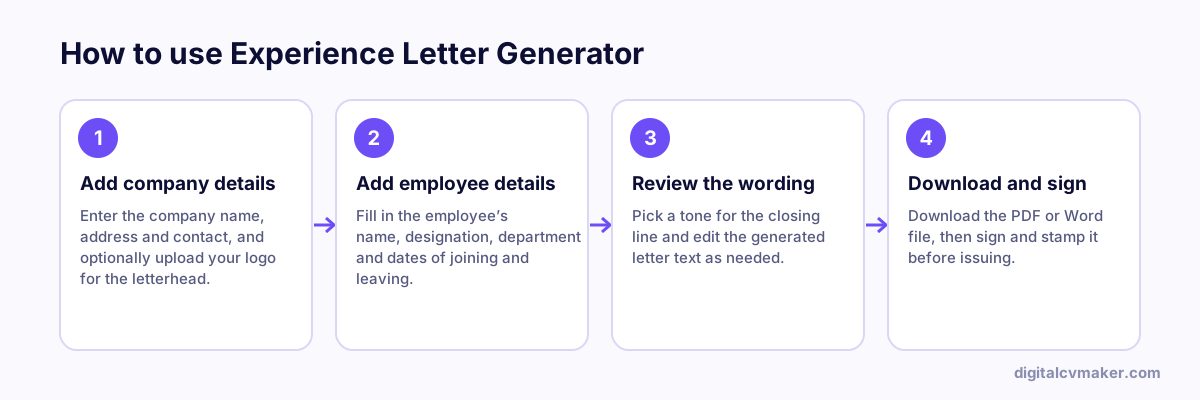
How to use Experience Letter Generator: 1. Add company details, 2. Add employee details, 3. Review the wording, 4. Download and sign.
How to use the Experience Letter Generator, step by step.

Standard experience letter format

  1. Company letterhead with address and contact details, and the date and place of issue.
  2. “To whom it may concern”, because the letter will be shown to future employers.
  3. A certifying paragraph with the employee’s name, ID, designation, department and dates of employment.
  4. An optional closing line about their conduct, then the signature, name and designation of the signatory, with the company stamp.

Also issuing the relieving letter? Use the relieving letter generator. The employee can work out notice dates with the notice period calculator.

Worked example

An HR team issuing an experience letter

What goes in

Employee: Accounts Assistant, employee ID included Dates: joining and last working day Signed by: HR Manager, on company letterhead

What you get

The letter states the employee’s full name, designation, employee ID and exact dates of employment, and closes with a neutral line wishing them well, signed by the HR manager. It avoids judgements about performance that the company may not want on record, which is the usual practice. Because it is built in the browser, the employee’s details are never uploaded. HR downloads it as a PDF to print on letterhead and sign, and keeps a copy on file, since background-verification agencies may later call to confirm the same dates.

Common mistakes

  • Writing dates that do not match payroll or the relieving letter, which raises flags during the new employer’s background verification.
  • Issuing the letter without a signature, name and designation of the signing authority, so verification teams cannot confirm who issued it.
  • Adding personal opinions about the employee’s performance or reason for leaving, which an experience letter normally leaves out.

When to use it: Use this when you are issuing proof of employment to a former employee; to confirm that a resignation was accepted and the person was relieved, use the relieving letter.

FAQ

Frequently asked questions

The company letterhead, the date of issue, the employee’s full name, their designation, and the dates they joined and left, signed by HR or a manager with the company stamp. A short closing line wishing them well is common; anything about performance is optional.

No. A relieving letter confirms that the resignation was accepted and the employee has been relieved of their duties. An experience letter certifies the period of employment and designation. New employers and background checks often ask for both.

Usually the HR manager or the employee’s reporting manager, on company letterhead, with the company stamp or seal. The signatory’s name and designation should be printed under the signature so it can be verified.

They can draft it to save HR time, but it only counts once the company issues it on letterhead with an authorised signature and stamp. This tool is meant for HR teams and managers issuing the letter.

Moving on? Have your own website ready

Show your experience and contact details at your own link for the next role. Live in minutes.

Start free
Chat on WhatsApp