🗜️ Free tool · no signup

Free Create ZIP File

Put several files or a whole folder into one ZIP file to email or upload together — free, private and made inside your browser. A ZIP file bundles many files into one, which is useful when a form or email accepts a single attachment.

Up to 50 MB per file and 200 MB in total. Folder structure is kept inside the ZIP. Your files never leave this device.

    The ZIP is made in your browser. No file is uploaded or stored.

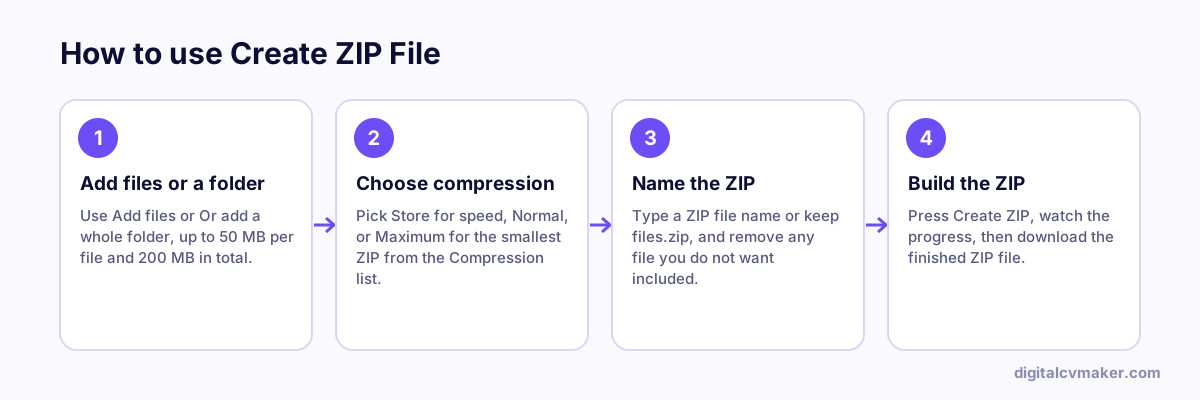
    How to use Create ZIP File: 1. Add files or a folder, 2. Choose compression, 3. Name the ZIP, 4. Build the ZIP.
    How to use the Create ZIP File, step by step.

    How to send documents as one ZIP

    HR teams and college admission offices often ask for a full set of documents at once. A neat, well-named ZIP shows you are organised and saves the other person from hunting through ten separate attachments.

    1. Rename each file clearly before adding it, for example 01-resume.pdf, 02-aadhaar.pdf, 03-class-12-marksheet.pdf.
    2. Add the files, or pick a folder if you have already sorted them into sub-folders.
    3. Choose Normal compression unless you have a reason not to, and give the ZIP your name, such as firstname-lastname-documents.zip.
    4. Check the final size. Gmail and Outlook limit attachments to about 20–25 MB; above that, share a cloud link instead.

    Good to know

    • Want the documents as one PDF rather than a ZIP? Use Merge PDF.
    • Received a ZIP? Open it right here with Unzip Files.
    • Do not put passwords or OTPs in a text file inside the ZIP — ZIPs made here are not encrypted.
    • Some government and exam portals accept only PDF or JPG, not ZIP. Read the upload instructions before you bundle anything.

    More helpers for job seekers are on the free tools page.

    Worked example

    A design portfolio sent as one attachment

    What goes in

    Files: resume PDF, 6 project images, one folder of case studies Email limit: single attachment preferred Added: whole folder kept with its structure

    What you get

    All the files and the case-study folder go into one ZIP, and the folder structure is kept, so the recruiter sees the case studies grouped as they were. The ZIP is made in the browser without uploading anything. The images and the PDF barely shrink, since JPG and PDF are already compressed, so the ZIP is about the same size as the files together. If it is still too large to email, a shared link or compressing the images first is the better fix.

    Common mistakes

    • Expecting a ZIP to shrink photos and PDFs a lot; they are already compressed and usually get only slightly smaller.
    • Zipping a resume for a job portal that wants a PDF upload; many forms reject ZIP files outright.
    • Giving the ZIP a vague name like files.zip instead of your name and the purpose, so it gets lost among other attachments.

    When to use it: Use zip files when several files must travel as one attachment; if they are all PDFs and the form wants one document, merge PDF is better.

    FAQ

    Frequently asked questions

    A single ZIP keeps a set of documents together — for example PAN, Aadhaar, mark sheets and relieving letter for HR onboarding. It is one attachment to download, nothing gets missed, and some portals accept only one file for all supporting documents.

    Usually not by much. PDFs, JPG photos and videos are already compressed, so zipping them saves little. Text files, Word documents, spreadsheets and CSV exports shrink more. To cut the size of photos or scans, resize or compress them before zipping.

    Normal suits most files. Store only packs files without compressing, which is fastest and fine for photos and PDFs. Maximum squeezes text-heavy files a little more but takes longer. Every level opens with the standard extract option on Windows, Mac and phones.

    No. The ZIP is built by your browser on this device, and nothing is sent to our servers. That makes it safe for ID proofs and salary documents. Very large sets depend on your device memory, so the limit is 200 MB in total.

    Your own website, live in minutes

    Your headline, bio and contact card at your own link. 7-day free trial, no card needed.

    Start free
    Chat on WhatsApp