📂 Free tool · no signup

Free Unzip Files

Open a ZIP file and download the files inside, one at a time — free, private and done inside your browser with nothing uploaded. Most computers and phones can open ZIP files with their built-in file manager, without installing a separate app.

ZIP files up to 200 MB. Your file never leaves this device.

    The ZIP is opened in your browser. No file is uploaded or stored.

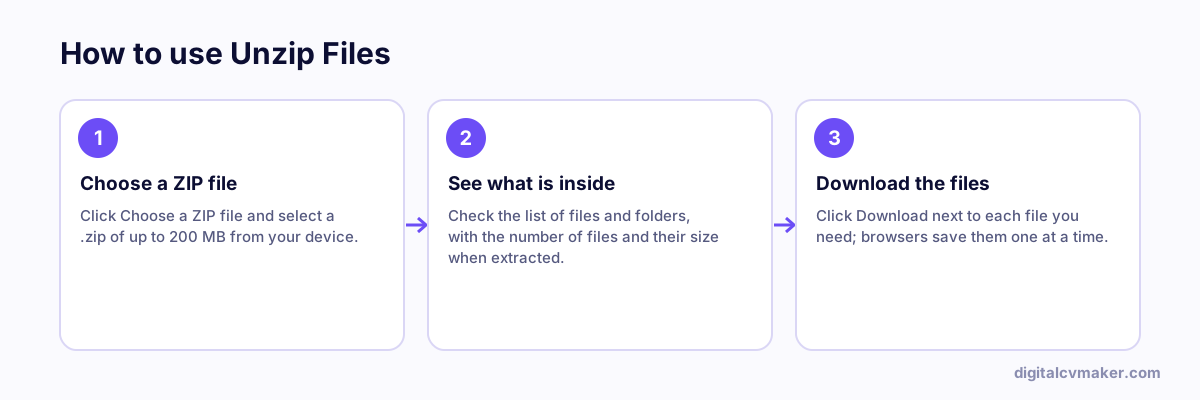
    How to use Unzip Files: 1. Choose a ZIP file, 2. See what is inside, 3. Download the files.
    How to use the Unzip Files, step by step.

    How to open a ZIP file on any device

    Recruiters, colleges and clients often send a ZIP — an assignment brief, a set of offer documents, or photos from an event. If you are on a shared computer, an office laptop without admin rights or a phone with no archive app, this page lets you peek inside and save just what you need.

    1. Choose the ZIP file. The list shows every file with its full folder path and size.
    2. Tap a file name or its Download button to save that file.
    3. Need all the files? On Windows, right-click the ZIP and pick Extract All. On a Mac, double-click it. On Android and iPhone, open it from the Files app.

    Stay safe with ZIP attachments

    • Fake "job offer" and "KYC update" mails often hide harmful files in ZIPs. Never run .exe, .apk, .scr or .bat files from a ZIP you were not expecting.
    • Real HR teams rarely need you to install anything to read an offer letter.
    • Sending documents back? Bundle them with Create ZIP File or combine PDFs with Merge PDF.

    See all our free tools.

    Worked example

    Opening a ZIP of offer documents on a borrowed computer

    What goes in

    File: offer-documents.zip from HR Contents: offer letter PDF, policy handbook, joining form Need: only the joining form, without installing software

    What you get

    The tool lists every file inside with its size, so the joining form is easy to find, and downloads just that one file. Nothing is extracted onto the shared computer except what is chosen, and the ZIP is never uploaded. Had HR protected the ZIP with a password, the password would be needed from them first, since encrypted archives cannot be opened without it. On a personal phone or laptop, the built-in file manager usually opens ZIPs too.

    Common mistakes

    • Opening a ZIP from an unknown sender and running a file inside it; check where it came from before opening anything.
    • Extracting everything onto a shared or office computer when you only need one file, leaving personal documents behind.
    • Assuming the file is broken when it asks for a password; encrypted ZIPs need the password from whoever sent them.

    When to use it: Use unzip files when you need one or two files from a ZIP without installing software; on your own computer, the built-in file manager is usually enough.

    FAQ

    Frequently asked questions

    Browsers save one file per download and block long bursts of automatic downloads, so each file here has its own button. To get everything in one go on a computer, use the built-in extract option — right-click the ZIP and choose Extract All on Windows, or double-click it on a Mac.

    Password-protected (encrypted) ZIPs cannot be opened by this tool, and it will tell you so. Ask the sender for the password and open the file with your computer's built-in extract option or an archive app on your phone that supports passwords.

    Opening the list is harmless — the ZIP is read by your browser and nothing is uploaded or run. Be careful with what is inside, though: do not open .exe, .apk, .bat or .js files from people you do not know, even if the message claims to be from HR or a bank.

    A small ZIP can expand to a huge size. When the files inside add up to more than 200 MB, extracting them in the browser may slow down or crash the tab on a phone. Download only the files you need, or extract on a computer.

    Your own website, live in minutes

    Your headline, bio and contact card at your own link. 7-day free trial, no card needed.

    Start free
    Chat on WhatsApp