How to take a headshot that crops well
- Stand about half a metre in front of a plain, light wall, facing a window so daylight falls evenly on your face. Avoid overhead light that throws shadows under the eyes.
- Ask someone to hold the phone at eye level, about one to one and a half metres away, and use the normal camera lens, not the wide or selfie lens up close.
- Leave space around your head and shoulders. It is easier to zoom in on a loose photo than to rescue one that cuts off your hair or chin.
- Wear plain, solid clothes that contrast with the wall. Keep glasses clean and free of glare, or take them off if the form asks you to.
Resume, passport and LinkedIn photos are not the same
- Resume and Gulf CV photos: a relaxed head-and-shoulders portrait in 4:5, with a slight smile. It sits in the corner of the page, so it only needs to look clear at a small size.
- Passport and visa photos: a full-face, neutral expression, mouth closed, eyes open and looking at the camera, with strict head size and background rules. Use the oval and eye line to get close, then check the official rules.
- LinkedIn: shown as a circle, so keep your face centred with some space around it. A square photo of at least 400 × 400 pixels stays sharp.
What to do with your photo next
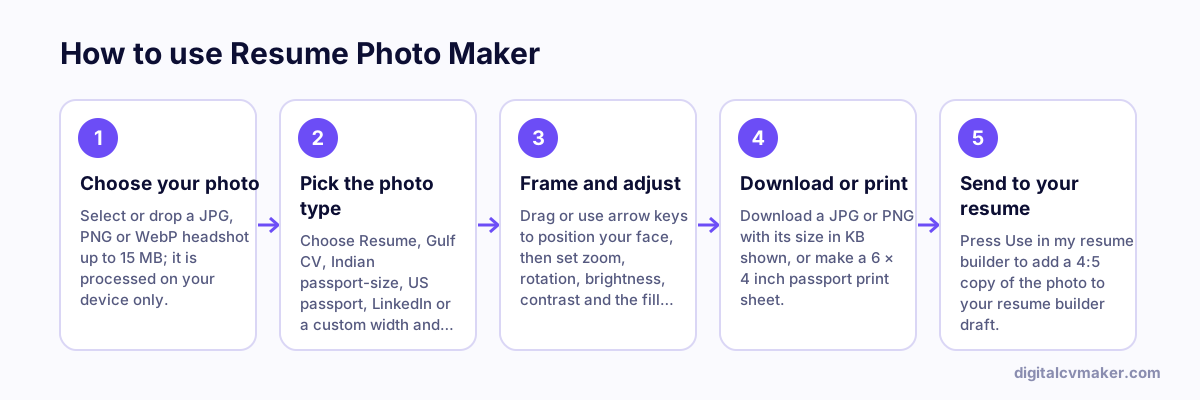
Press “Use in my resume builder” to drop the photo straight into the free resume builder, then choose a template that shows a photo. If a job or exam portal asks for a size this tool does not list, or a strict KB range, use the photo resizer or the image compressor. Not sure whether your target country expects a photo at all? See the resume format by country guide.