📇 Free tool · no signup

Free QR Business Card Maker

Type your contact details and get a QR code people can scan to save you straight to their phone. Download it for your visiting card, email signature or desk. A contact QR code stores your details in the vCard format, so most phone cameras offer to save you as a new contact when scanned.

Your contact QR code

Fill in your name to see your code.

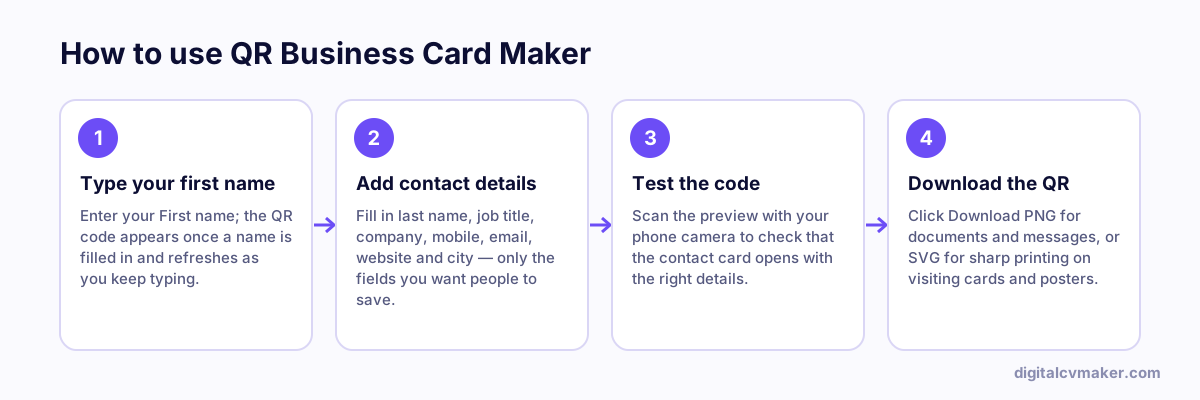
How to use QR Business Card Maker: 1. Type your first name, 2. Add contact details, 3. Test the code, 4. Download the QR.
How to use the QR Business Card Maker, step by step.

Static QR vs. a digital visiting card

This free QR stores your details inside the code itself, which is perfect for a quick contact save. The limitation: once printed, it can’t change. A digital visiting card puts a QR on your card that opens a page you can update any time — new number, new job, new portfolio — plus buttons for WhatsApp, email and directions.

Tips for a QR people actually scan

  • Add a short call to action next to it, such as “Scan to save my number”.
  • Keep dark code on a light background — inverted or low-contrast codes fail on many phones.
  • Fewer fields make a simpler code that scans faster from further away.

Need a line to go with it? Try the bio generator.

Worked example

A contact QR for an interior designer’s printed card

What goes in

Name: first and last name, job title: Interior Designer Mobile, work email, website and city Print size: 2.5 × 2.5 cm on the back of a card

What you get

The tool stores the details as a vCard, so when a client points a phone camera at the code, the phone offers to save a new contact with the name, title, number, email and website filled in. At 2.5 cm with a white margin around it, the code scans reliably from a printed card. The designer test-scans the print proof on two different phones before ordering the batch. Because the code is static, a new number later means a new code and new cards, so she keeps a website link on the card as well.

Common mistakes

  • Printing the code too small or without a white margin, so phone cameras struggle to read it, especially in dim light.
  • Ordering a full print run without test-scanning the proof on two different phones first, which is the only way to catch a typo in the contact.
  • Putting a number you plan to change soon into a static code, which then has to be reprinted on every card.

When to use it: Use the contact QR when people should save your details by scanning; to share a full profile with projects and links, a personal website link works better.

FAQ

Frequently asked questions

The QR code holds your contact details in the standard vCard format. When someone scans it with their phone camera, the phone offers to save you as a new contact — no app needed on iPhone or most Android phones.

Not with this static code — the details are inside the QR itself, so changing them means a new code. If you expect changes, point the QR at your personal website or digital visiting card instead, which you can edit any time without reprinting.

At least 2 × 2 cm on a business card, with a white margin around it. Test-scan the printed proof from arm’s length on two different phones before ordering a full batch.

No. The code is generated on the fly from what you type and nothing is saved.

Point your QR code at your own website

A visiting card that opens your full profile, not just a phone number. Live in minutes.

Start free
Chat on WhatsApp