🧑‍💼 Free tool · no signup

Free Professional Bio Generator

Answer a few questions and get a short, medium and long professional bio — in first or third person — for LinkedIn, your website or a speaker intro. A professional bio is usually written in third person for speaker intros and press, and in first person for your own website and LinkedIn.

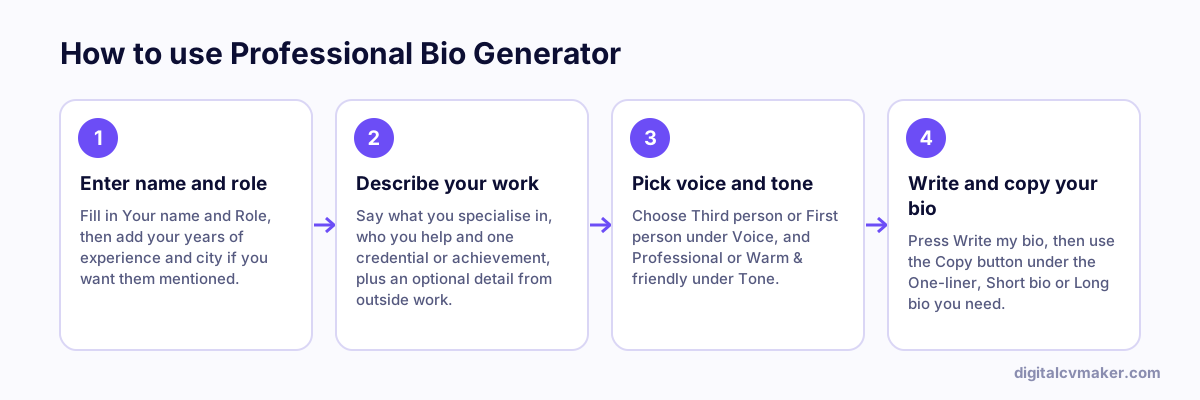
How to use Professional Bio Generator: 1. Enter name and role, 2. Describe your work, 3. Pick voice and tone, 4. Write and copy your bio.
How to use the Professional Bio Generator, step by step.

Make the bio sound like you

Treat the result as a first draft. Swap generic words for the specific ones you would use when talking to a client, add a detail only you could write, and read it aloud — if it sounds stiff, shorten the sentences. A bio that is specific and slightly personal is remembered far longer than a list of adjectives.

Where to use each version

  • One-liner: Instagram, X, email signature, WhatsApp Business profile.
  • Short bio: LinkedIn headline area, event programmes, guest-post author boxes.
  • Long bio: the About section of your personal website, speaker introductions and proposals.

Pair your bio with a sharp resume headline and a QR business card so people can find and save you in seconds.

Worked example

A speaker introduction for a dietitian

What goes in

Role: Clinical Dietitian, 7 years in hospital and private practice Focus: diabetes and kidney diets Use: introduction at a health workshop

What you get

The tool returns three lengths. The one-liner suits an Instagram or conference badge: “Clinical dietitian helping people manage diabetes and kidney disease through practical meal plans.” The short bio, in third person, is the one the host reads aloud: it names her years of experience, the two specialities and the kind of patients she sees. The long bio adds her approach and a line about workshops she runs, for the event page. Because each version is separate, she uses the right one for each place instead of trimming one paragraph by hand every time.

Common mistakes

  • Using a first-person bio for a speaker introduction, which sounds odd when someone else reads “I am” aloud on stage.
  • Listing every course and certificate in the short bio, when a reader only needs your role, your focus and who you help.
  • Letting the same old bio sit on every profile after your role changes, so people meet an outdated version of you.

When to use it: Use the bio generator when you need ready versions in different lengths; for LinkedIn specifically, the LinkedIn About generator fits its format and first-line preview better.

FAQ

Frequently asked questions

Use third person (“Priya is…”) for speaker intros, company pages and press. Use first person (“I help…”) on your own website, LinkedIn About section and social profiles, where it feels more direct and personal.

Have three versions: a one-line bio for social profiles, a short 50–80 word bio for introductions, and a longer 150–200 word bio for your website’s About section or a conference programme.

Your name and role, what you specialise in, who you help, one concrete achievement or credential, and — for a longer bio — a human touch such as where you are based or what you enjoy outside work.

No. The bio is written in your browser from what you type; nothing is sent to our servers or saved.

Use this bio on your own website

A personal page with your bio, work and contact details, at your own link. Live in minutes.

Start free
Chat on WhatsApp